Your operations. Your agenda. In motion.
Build the business you can see in your head.
An AI back office that turns what you want done into work ready for your approval. Most owners are not short of ideas — they are short of the hours and the hands to chase them. So you get twenty-eight specialists: a chief of staff, an inbox manager, a finance analyst, a fact checker, each written as a job rather than a chatbot in a costume, working while you are with a customer or asleep.
- No card
- Nothing connected by default
- Every action logged
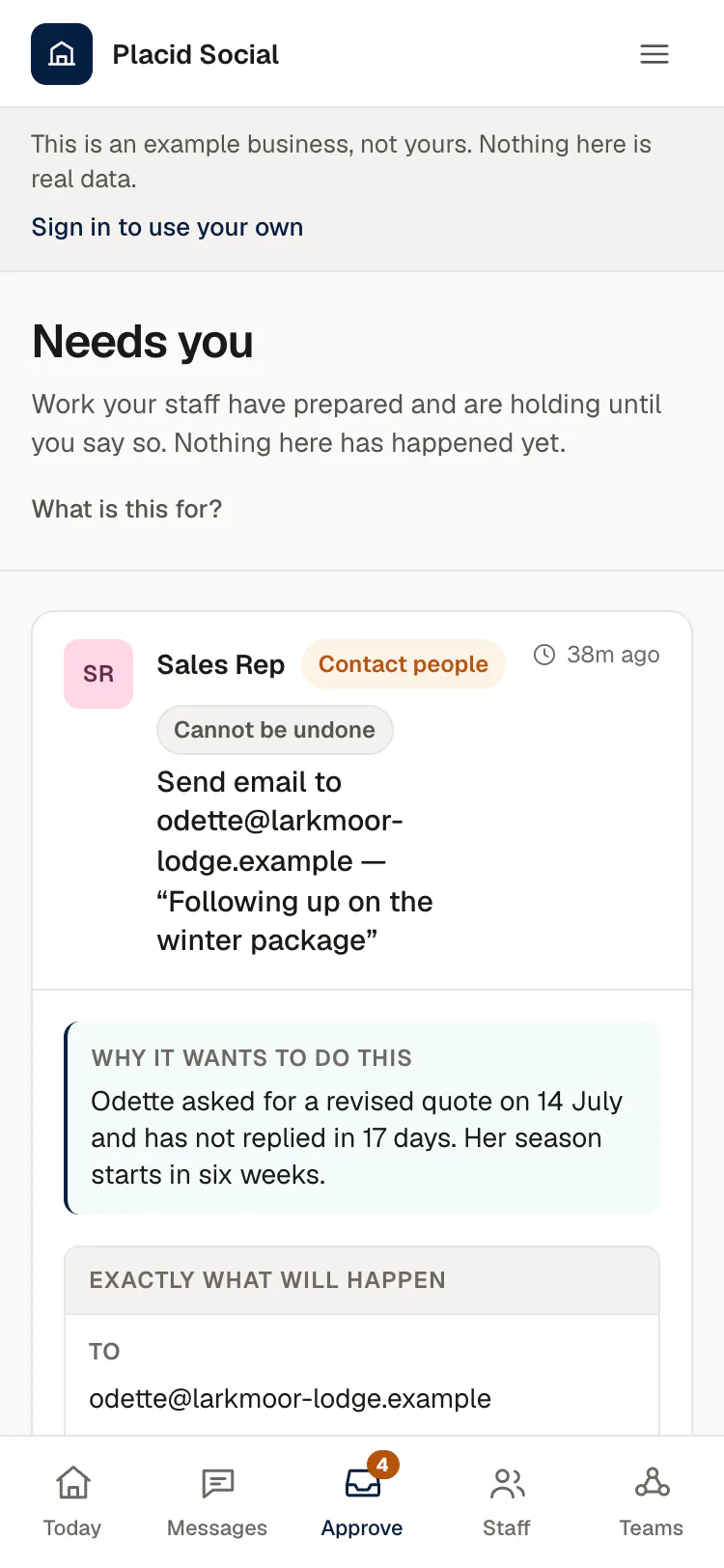
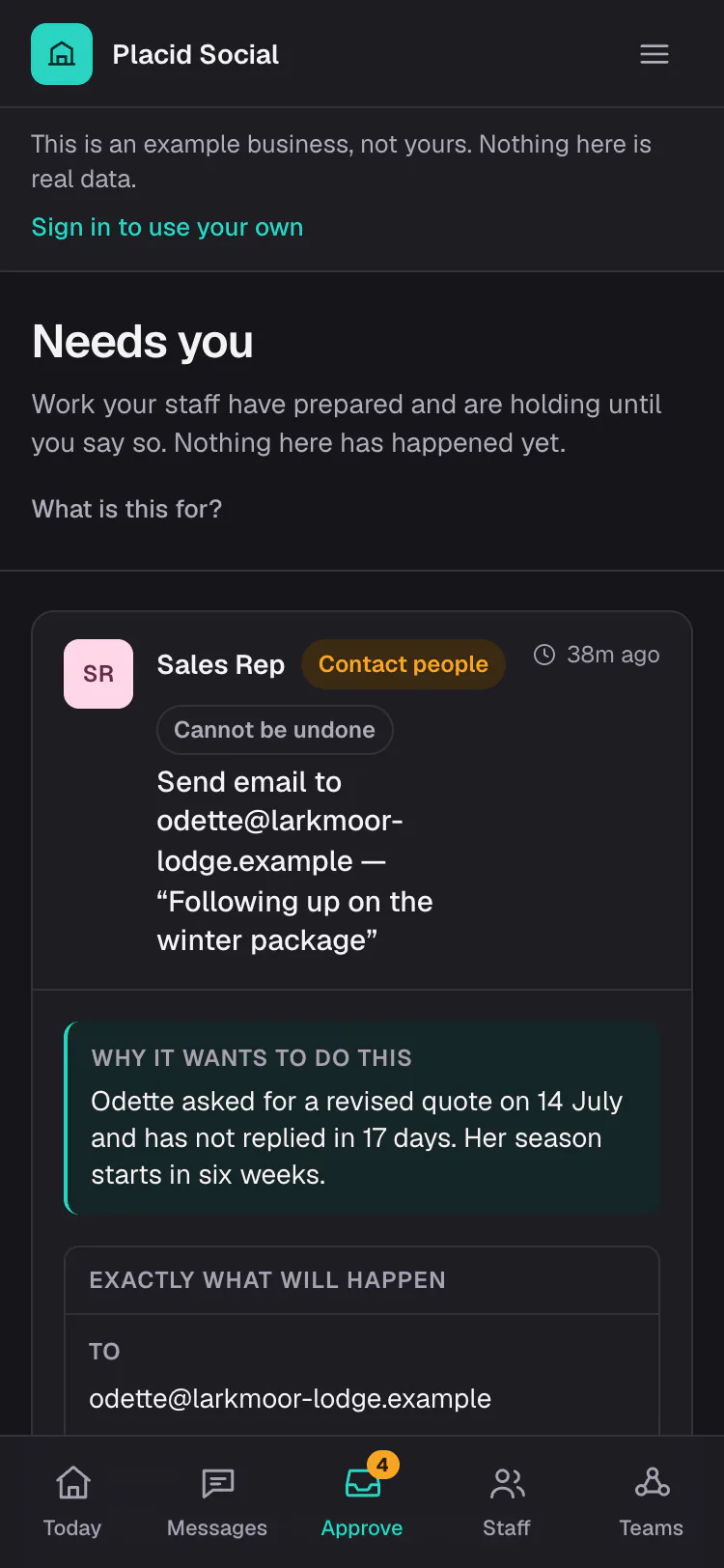
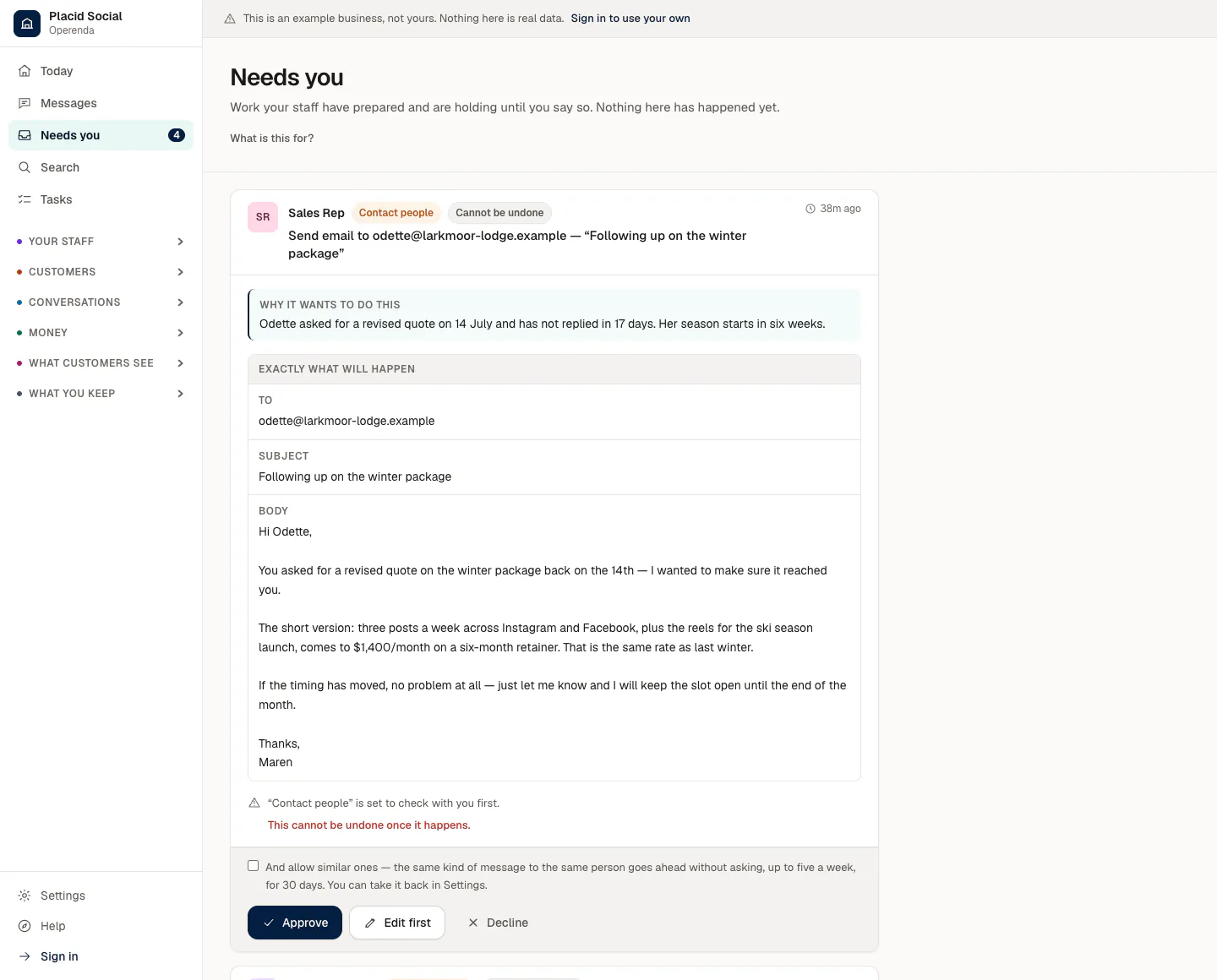
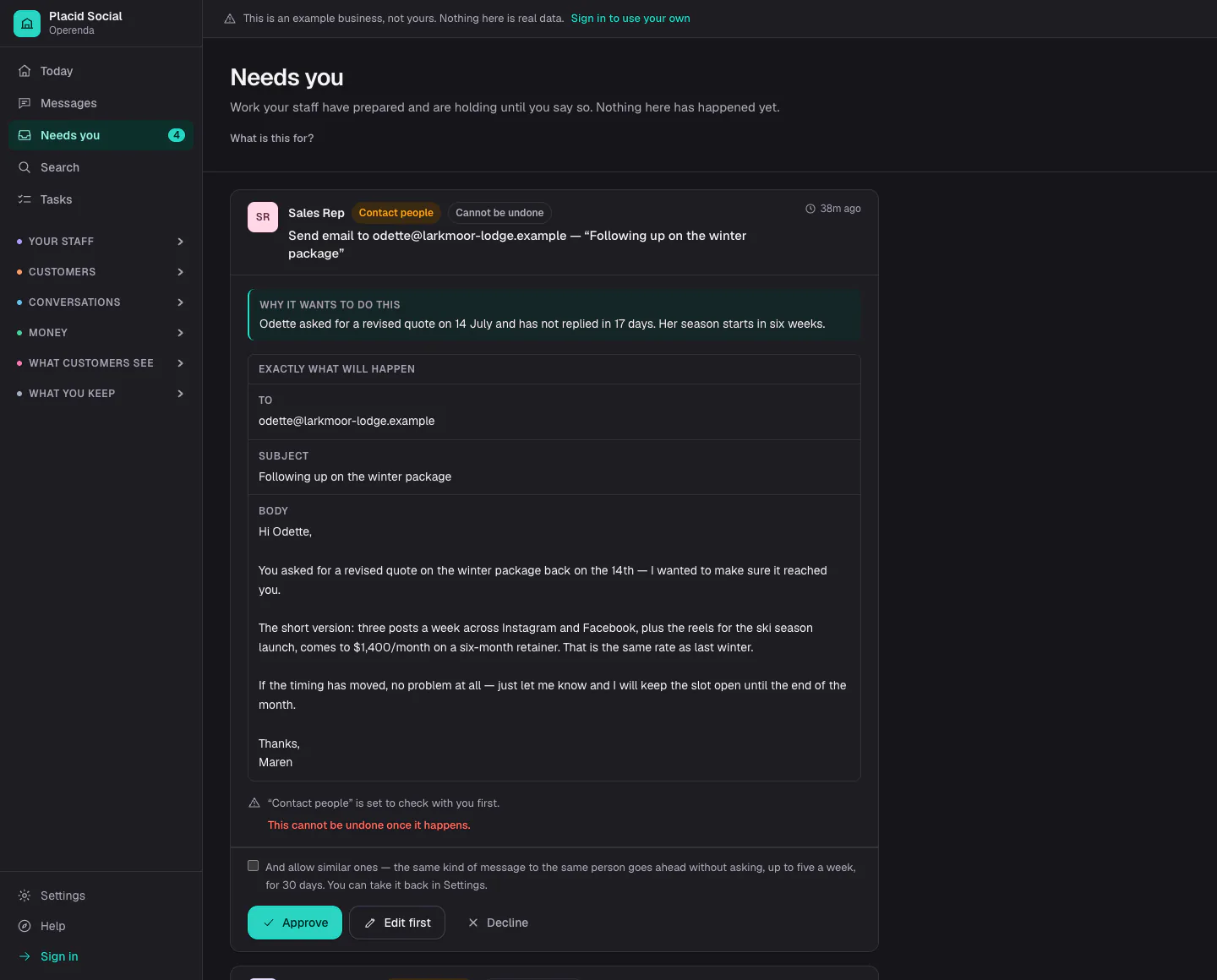
Send email to odette@larkmoor-lodge.example — “Following up on the winter package”
Odette asked for a revised quote on 14 July and has not replied in 17 days. Her season starts in six weeks.
Draft
Hi Odette, You asked for a revised quote on the winter package back on the 14th — I wanted to make sure it reached you. The short version: three posts a week across Instagram and Facebook, plus the reels for the ski season launch, comes to $1,400/month on a six-month retainer. That is the same rate as last winter. If the timing has moved, no problem at all — just let me know and I will keep the slot open until the end of the month. Thanks, Maren
“Contact people” is set to check with you first.
Where this actually is
The office, the fence, approvals, teams, memory and the learning loop all work today. You can connect Gmail, Outlook, Fastmail, your calendars and Stripe, and your staff read, file, draft and reply through them behind the approvals you set. You can pay for a plan. What is built but not yet proven with a customer’s own accounts, and what is not built, is marked where the claim is made, rather than in a footnote.
See it
The product itself, before you sign up
Five screens from the product, taken from its example business, Placid Social. Every name, address and figure in them is invented; nothing is a customer’s.
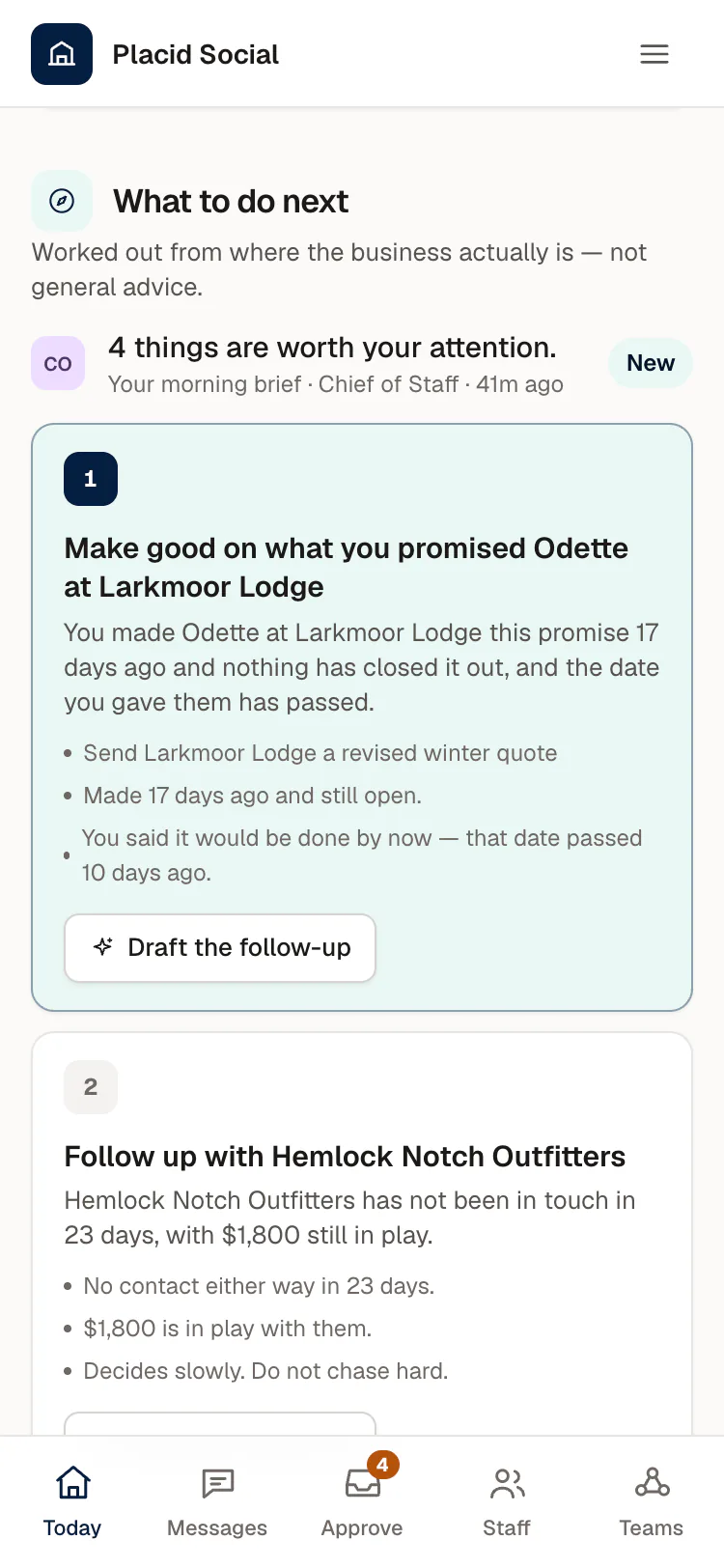
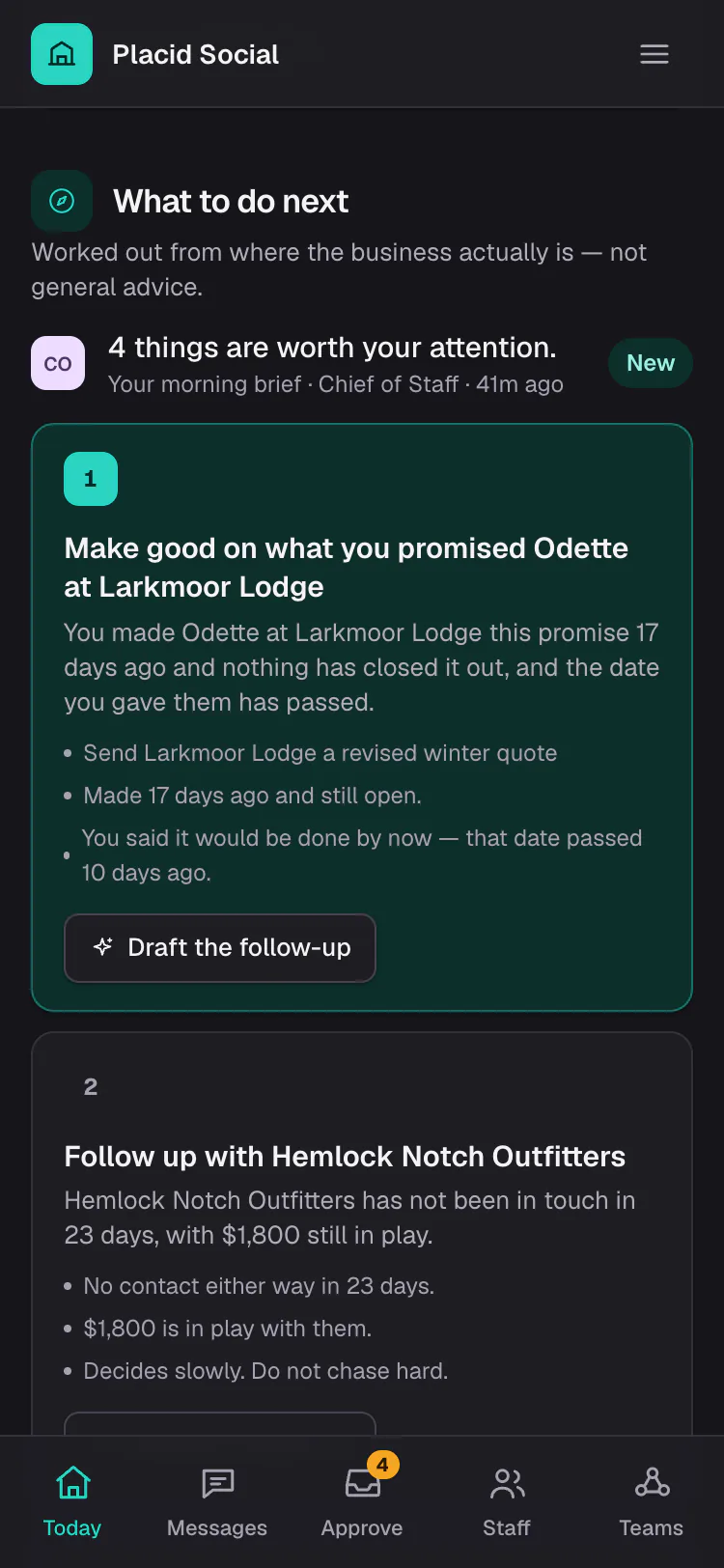
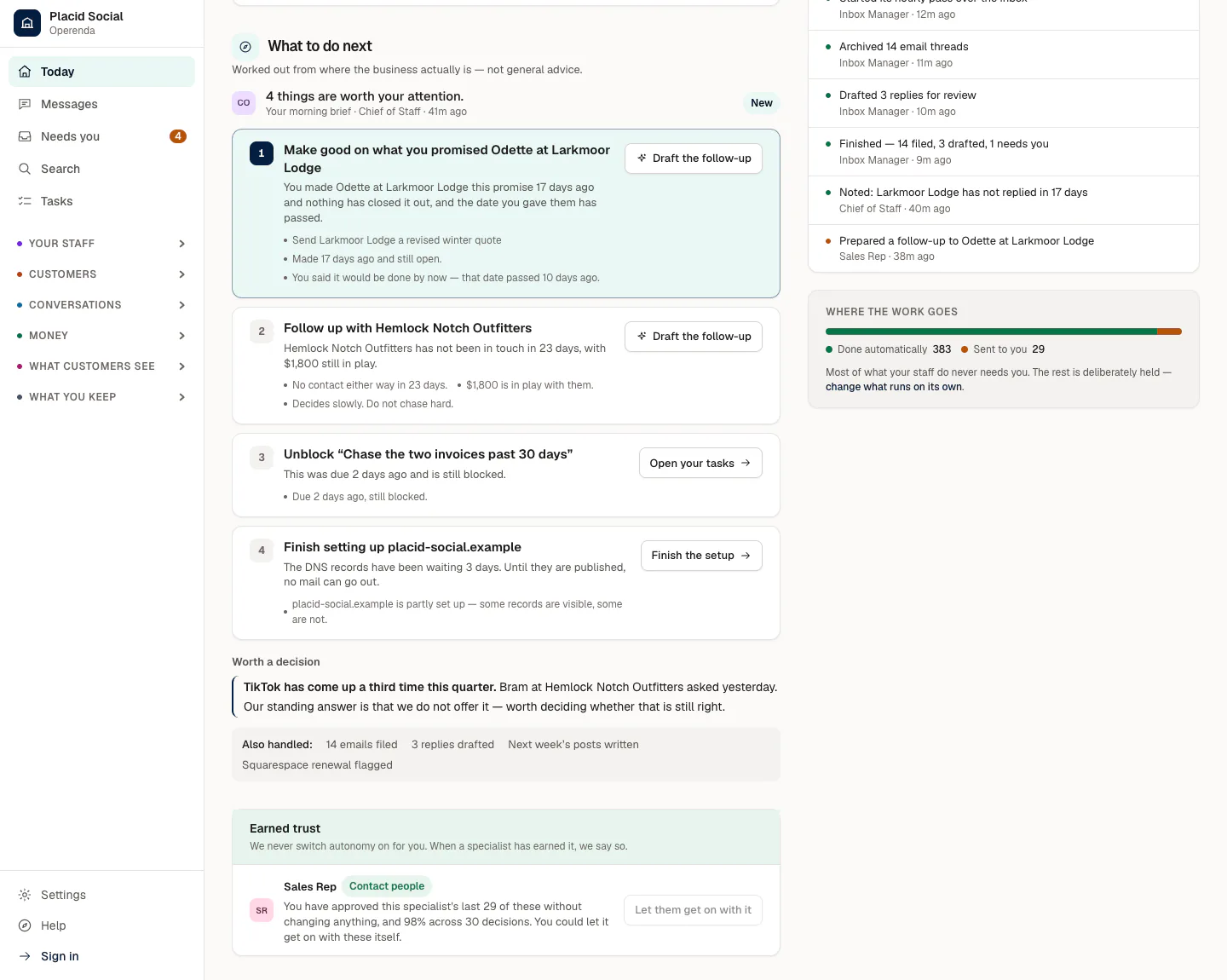
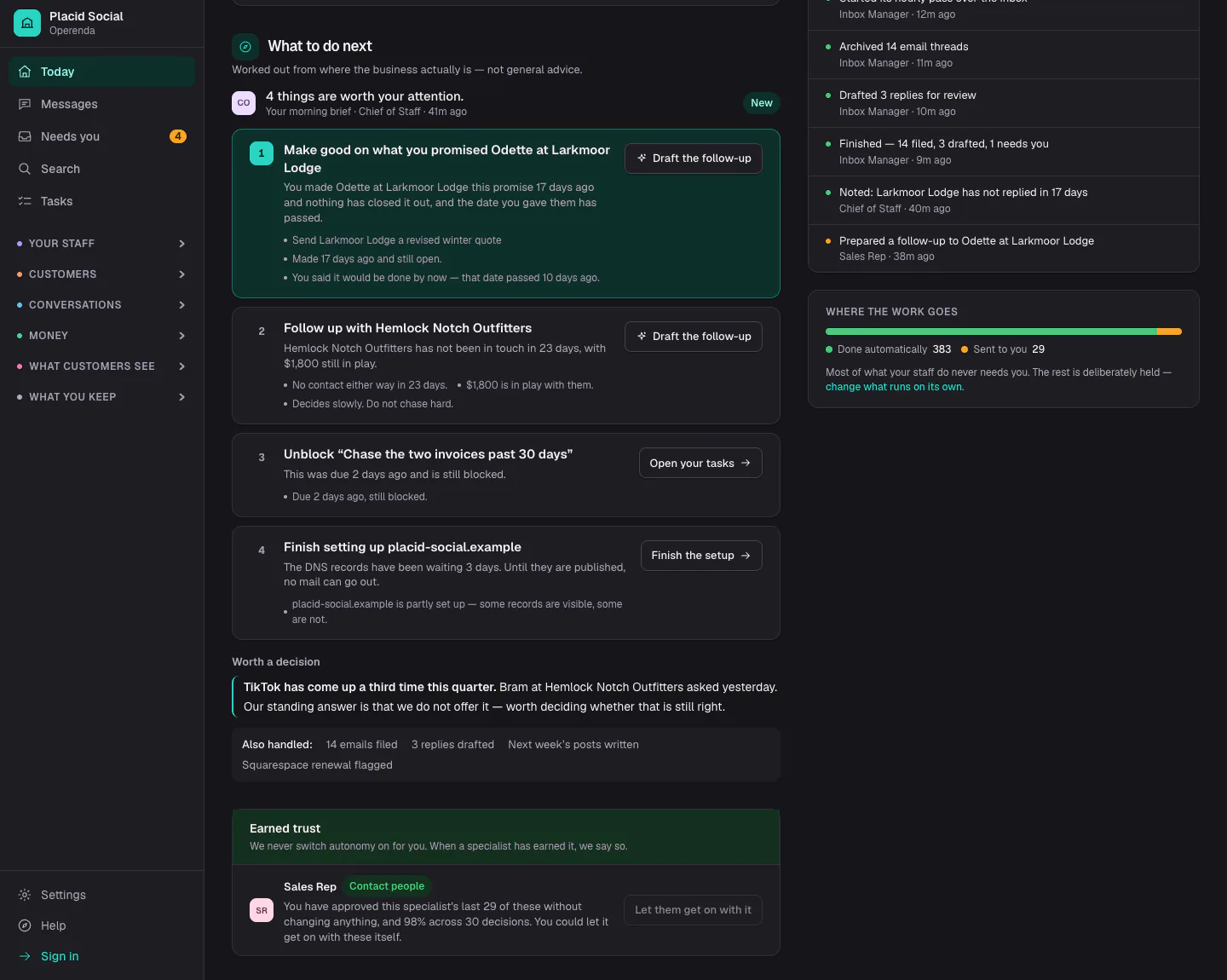
Today starts from where the business is
The first item is a promise to a customer that has passed its date. Beside it is a button to draft the follow-up. A line above the list says it comes from the Chief of Staff's morning brief, and below the list is one more item that is worth a decision.
Anything that leaves the building comes back for approval
The Sales Rep has written an email and is holding it. The screen gives its reason, the recipient, the subject and the full text, and warns that sending cannot be undone. You can approve it, edit it first, or decline it.
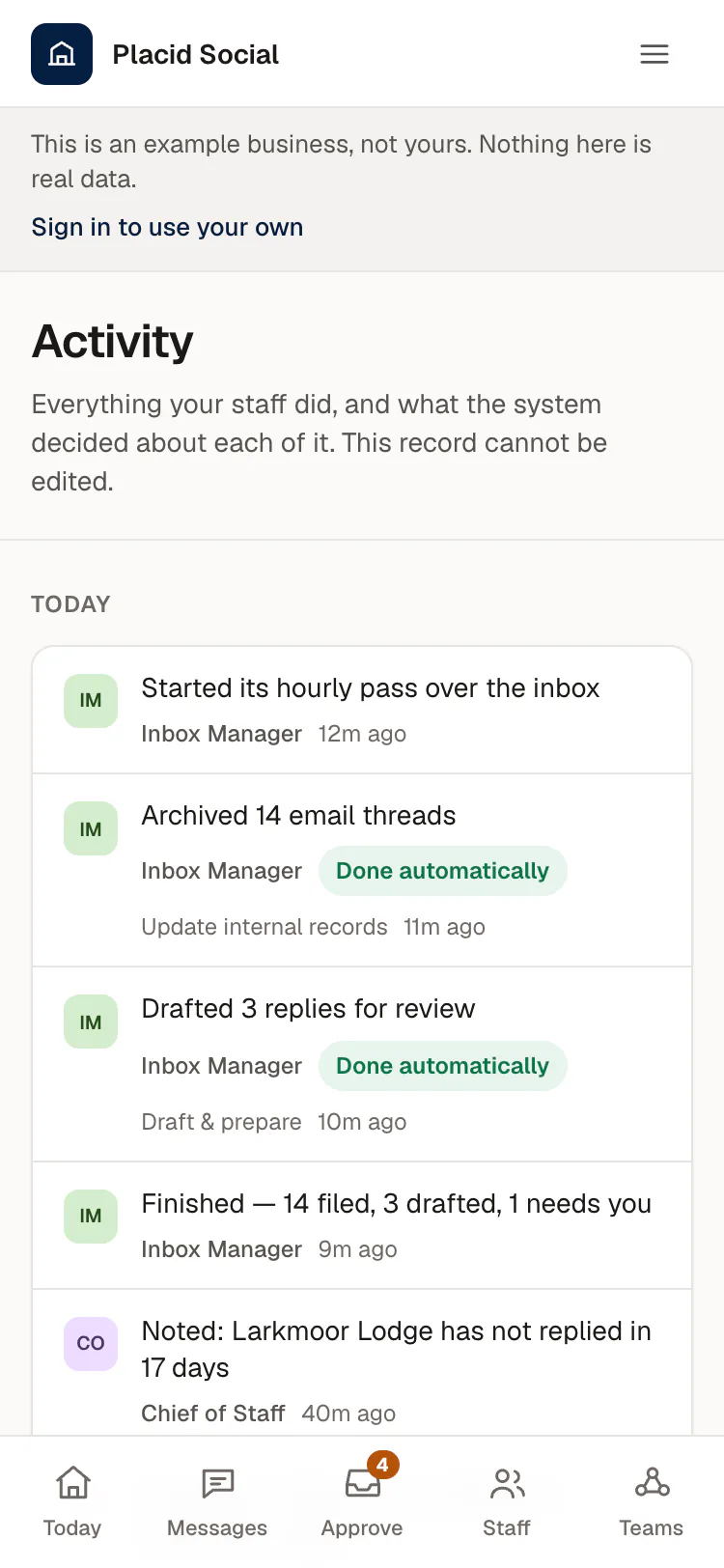
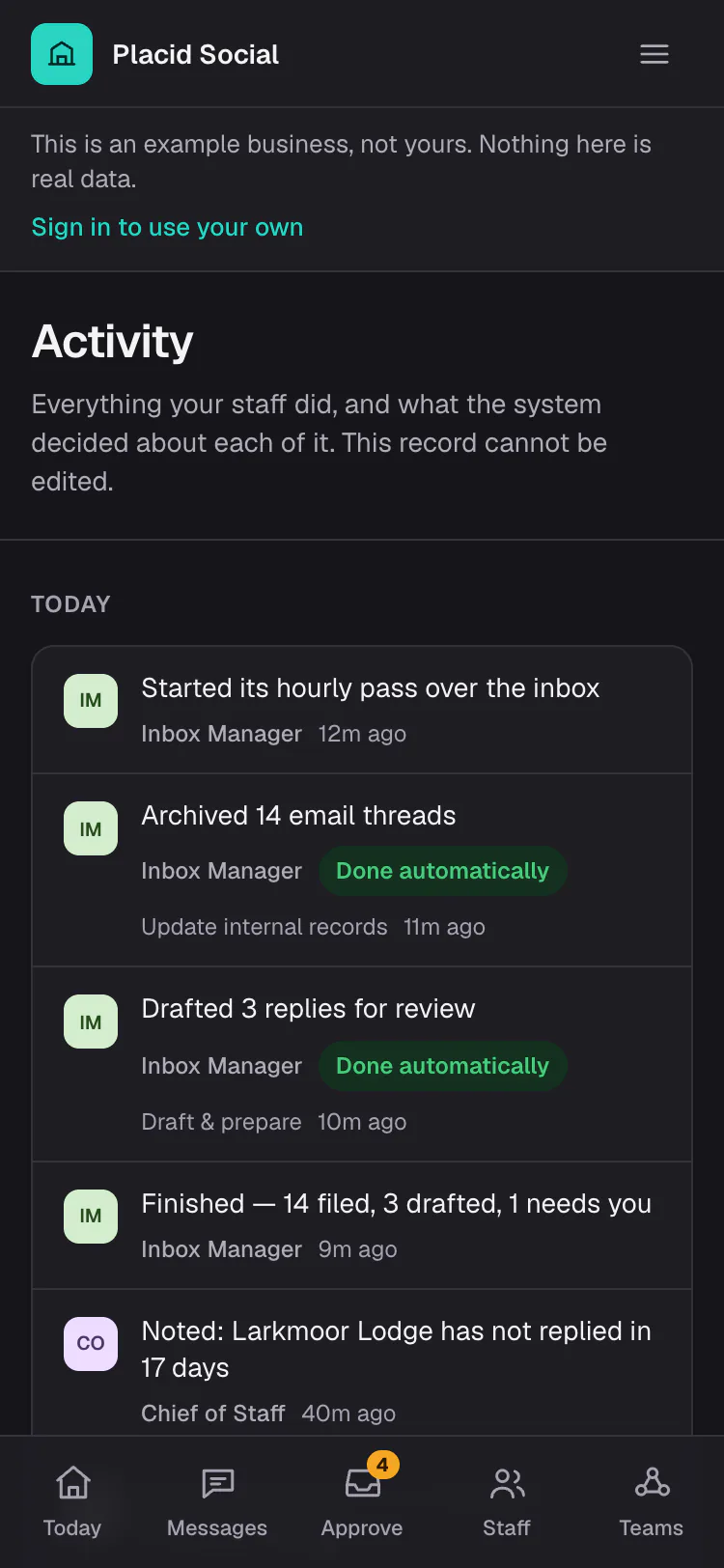
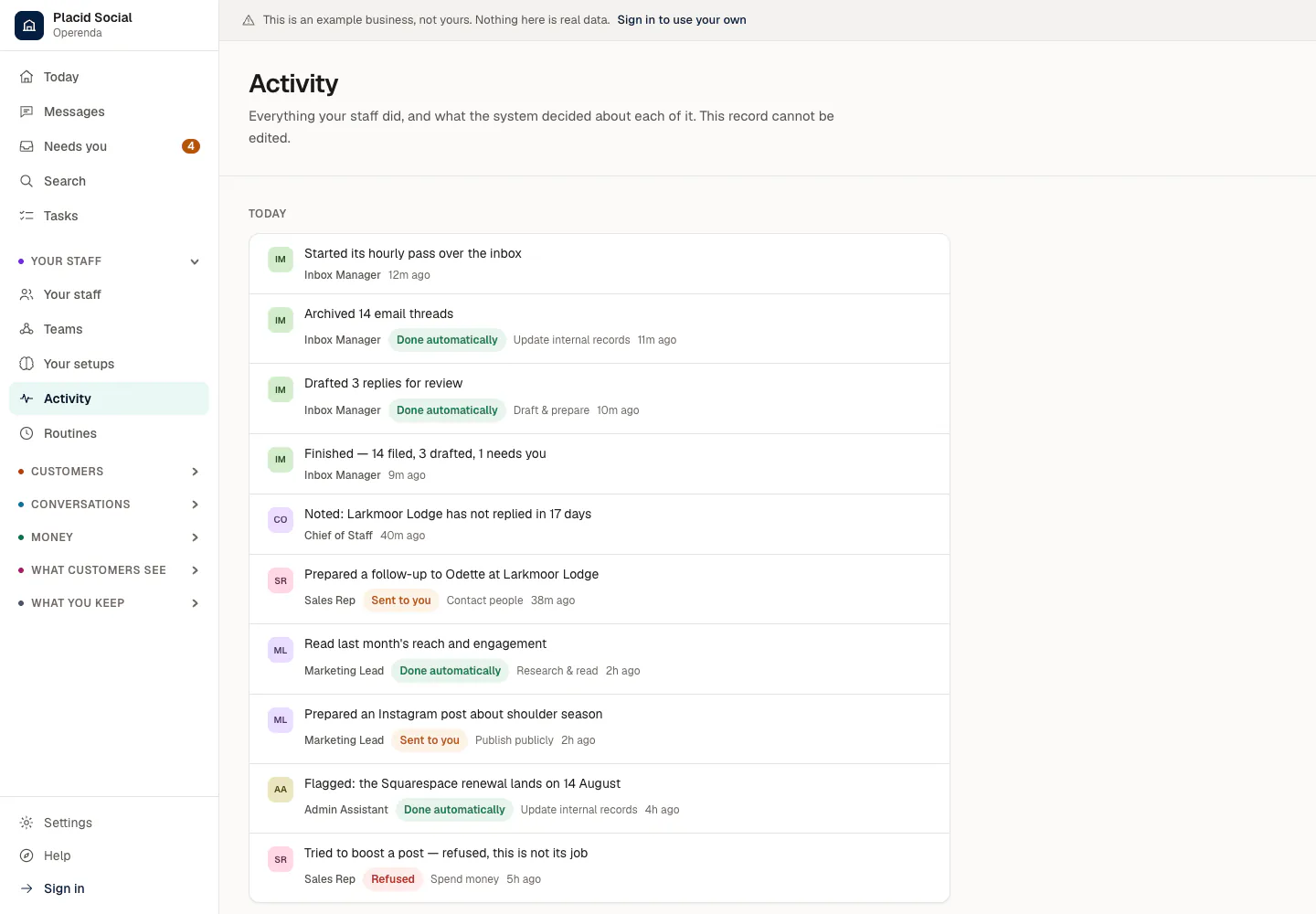
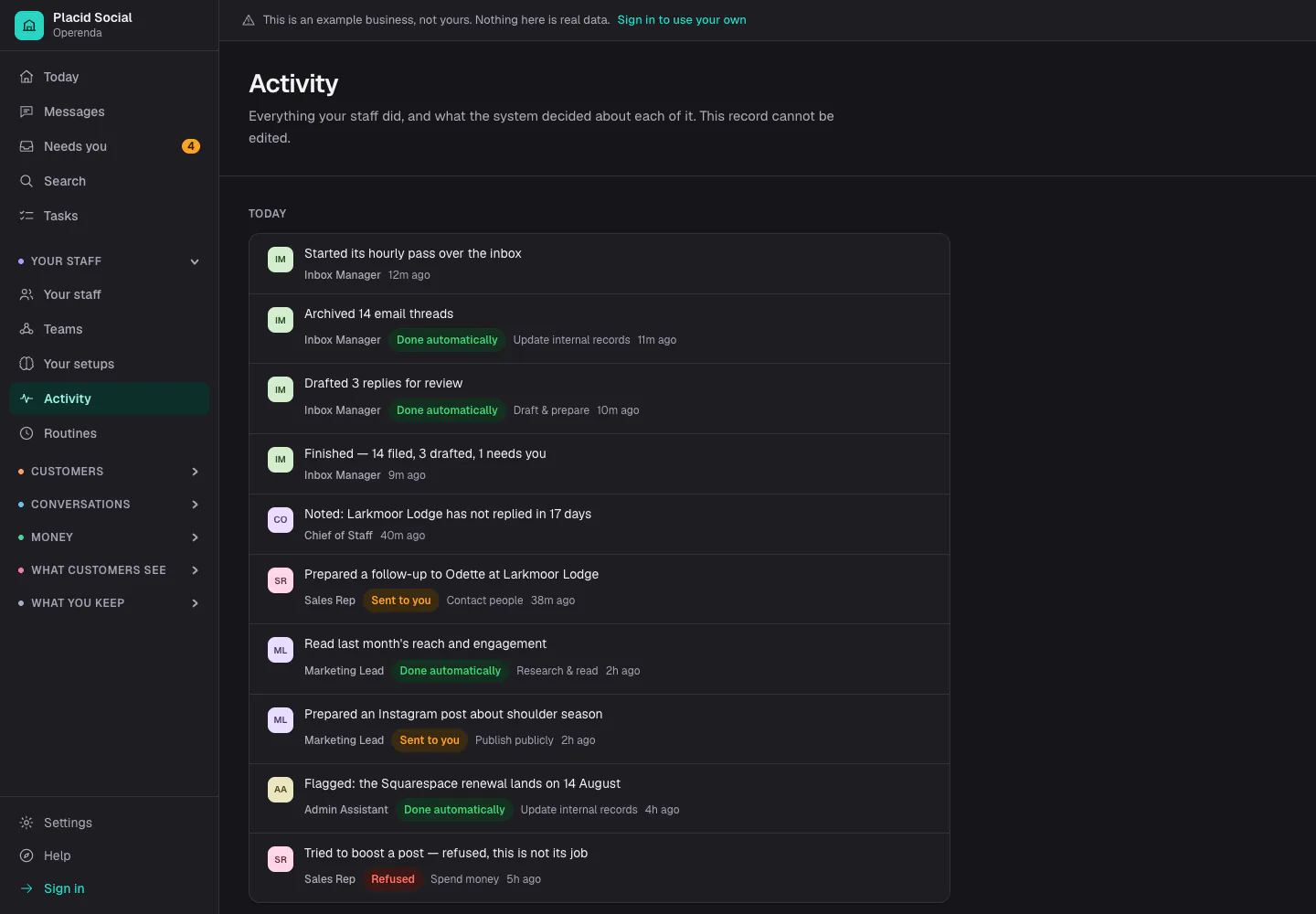
A record you can read afterwards
Everything the specialists did is listed with what the system decided: done automatically, sent to you, or refused. Near the bottom, the Sales Rep tried to boost a post and was refused, because spending money is not its job.
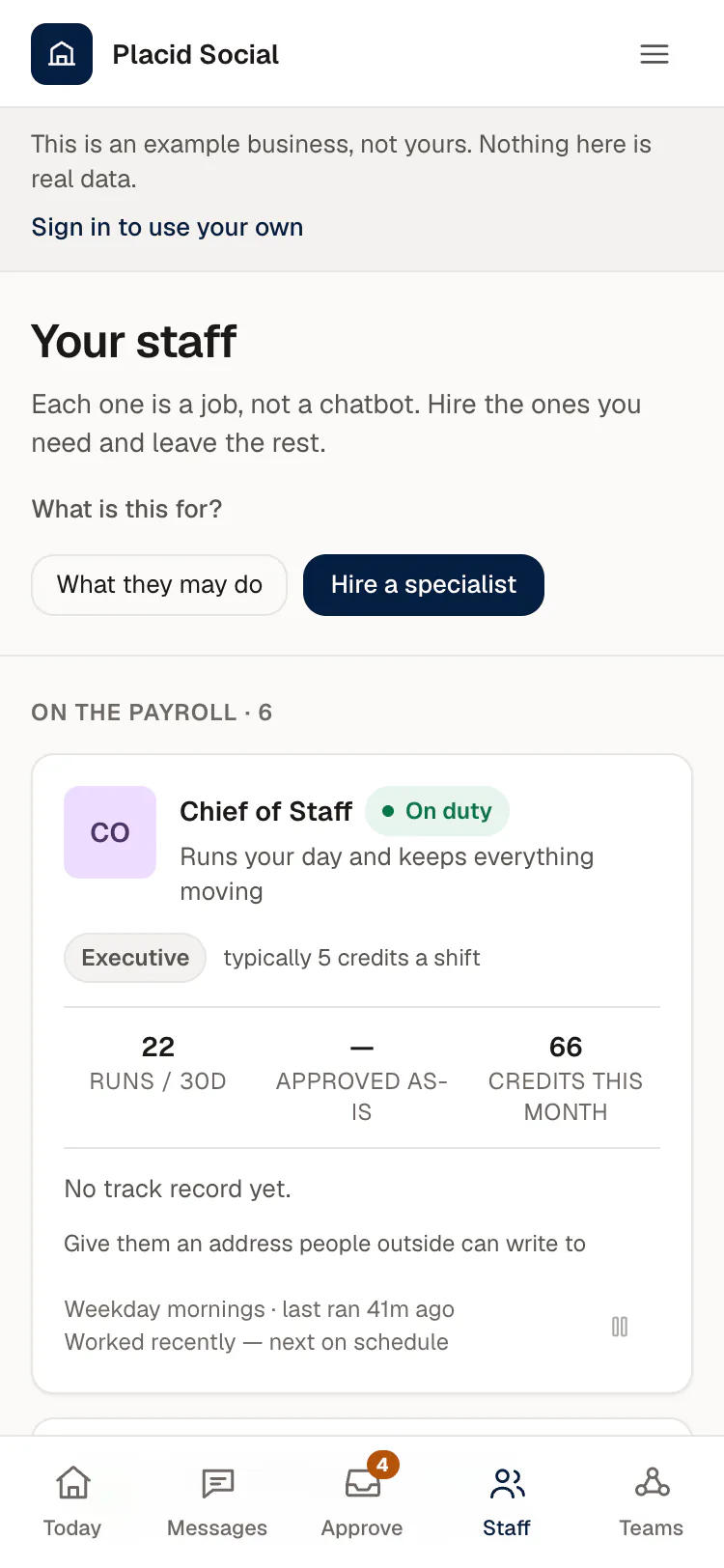
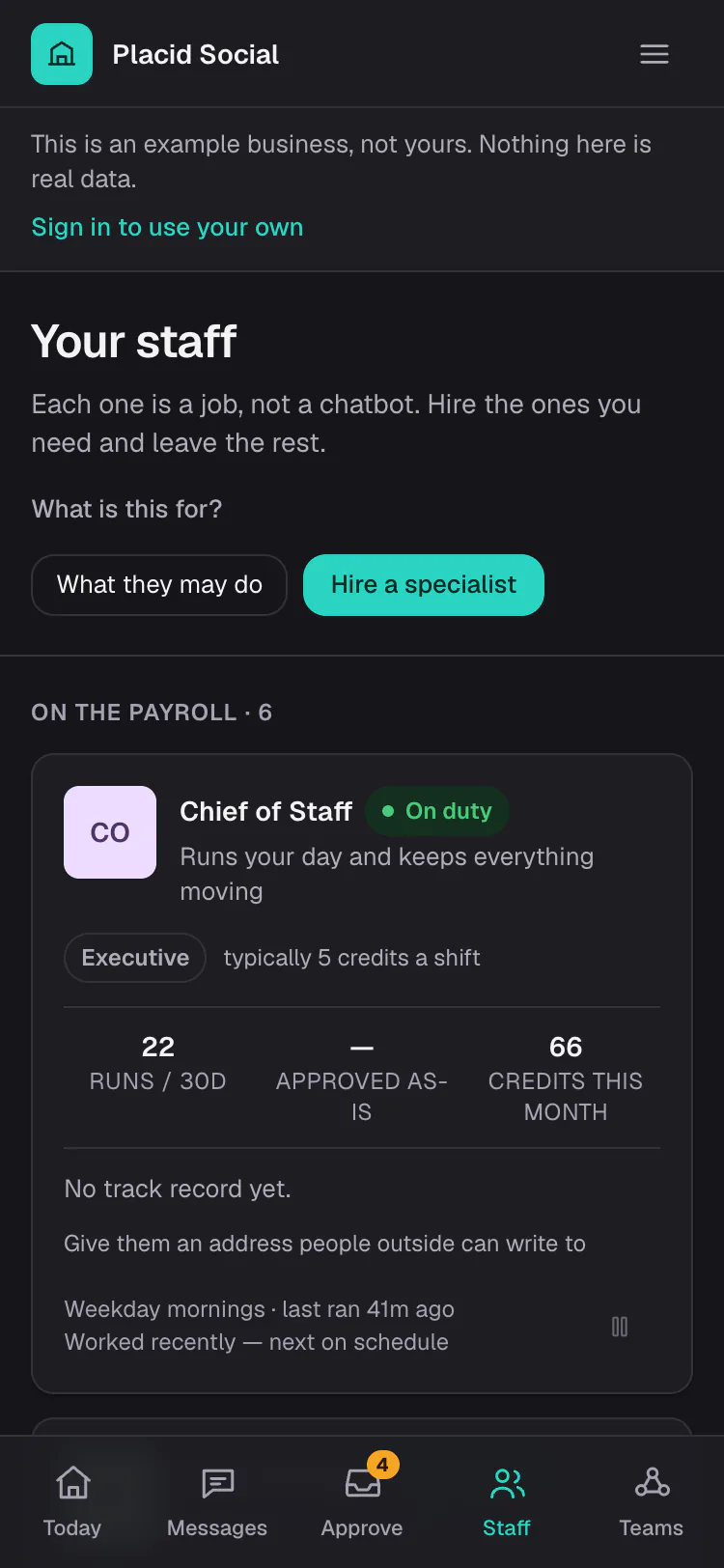
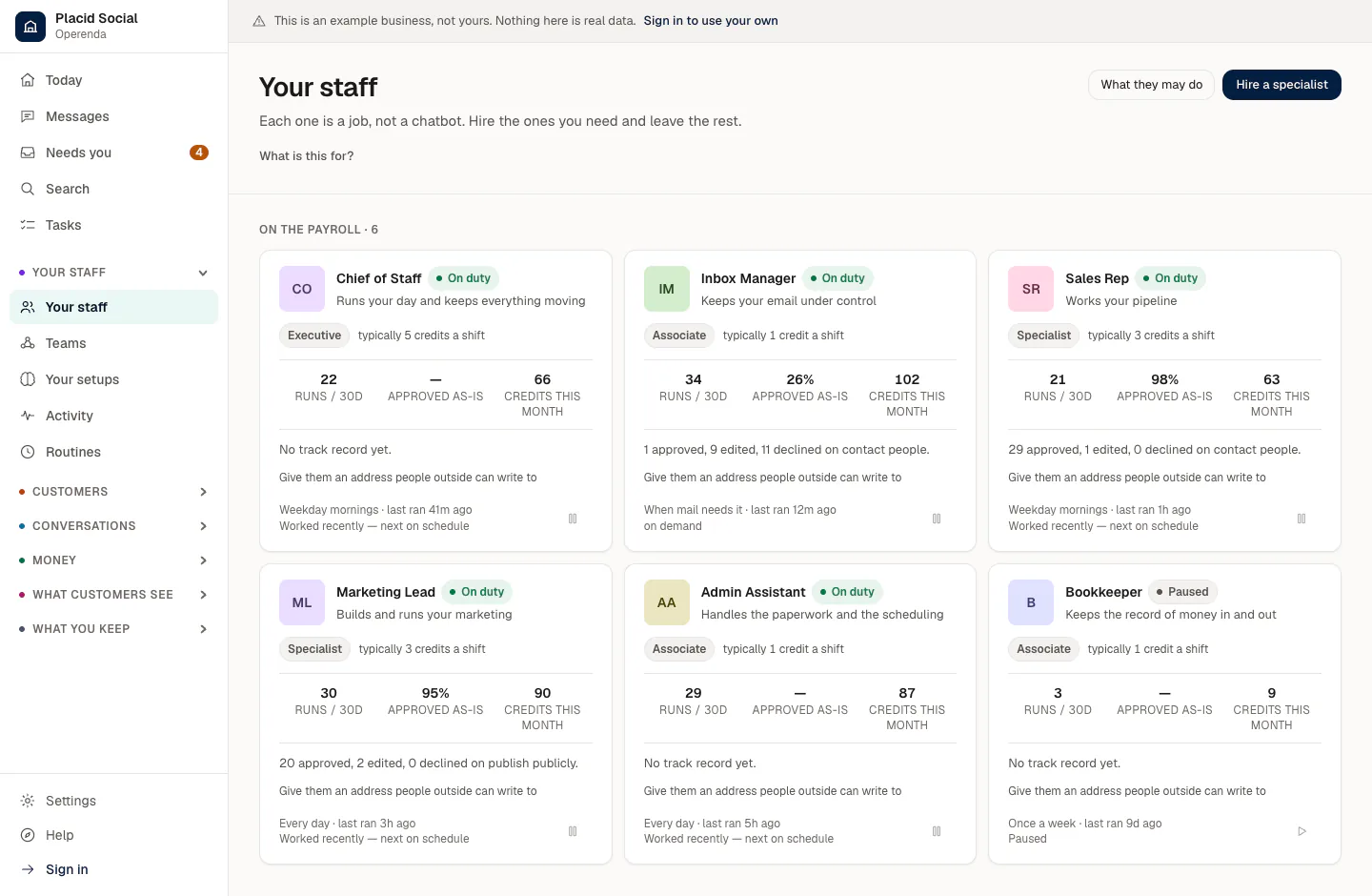
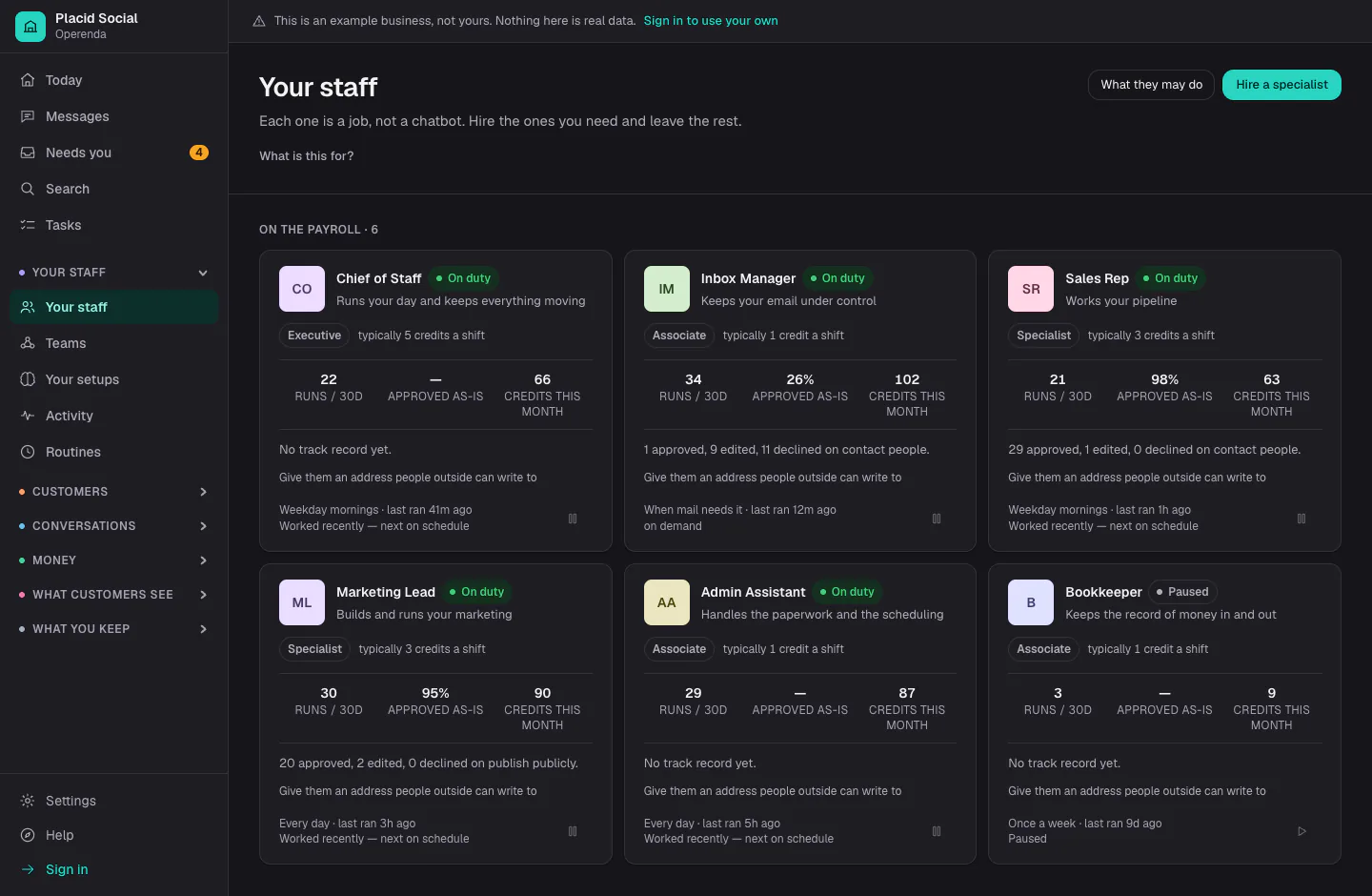
Specialists are hired by the job
Each card is one job, with its tier, what a shift typically costs in credits, how many times it ran in thirty days, and how often its work was approved as written. One of the six is paused.
Where you reach them, and where mail goes out from
Settings, Channels is where a phone line, the address your mail goes out from, WhatsApp and text messages are set up. Each section opens to its own settings.
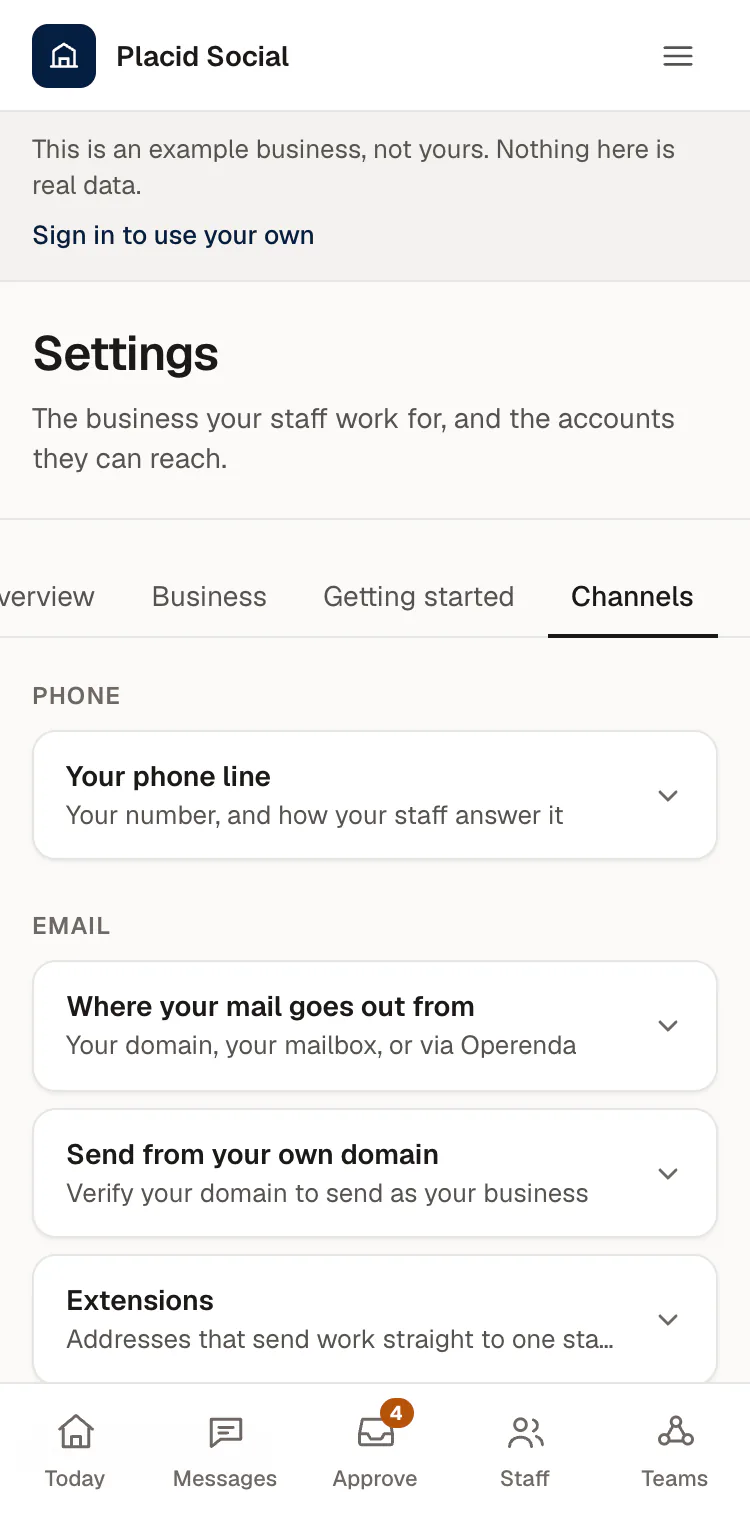
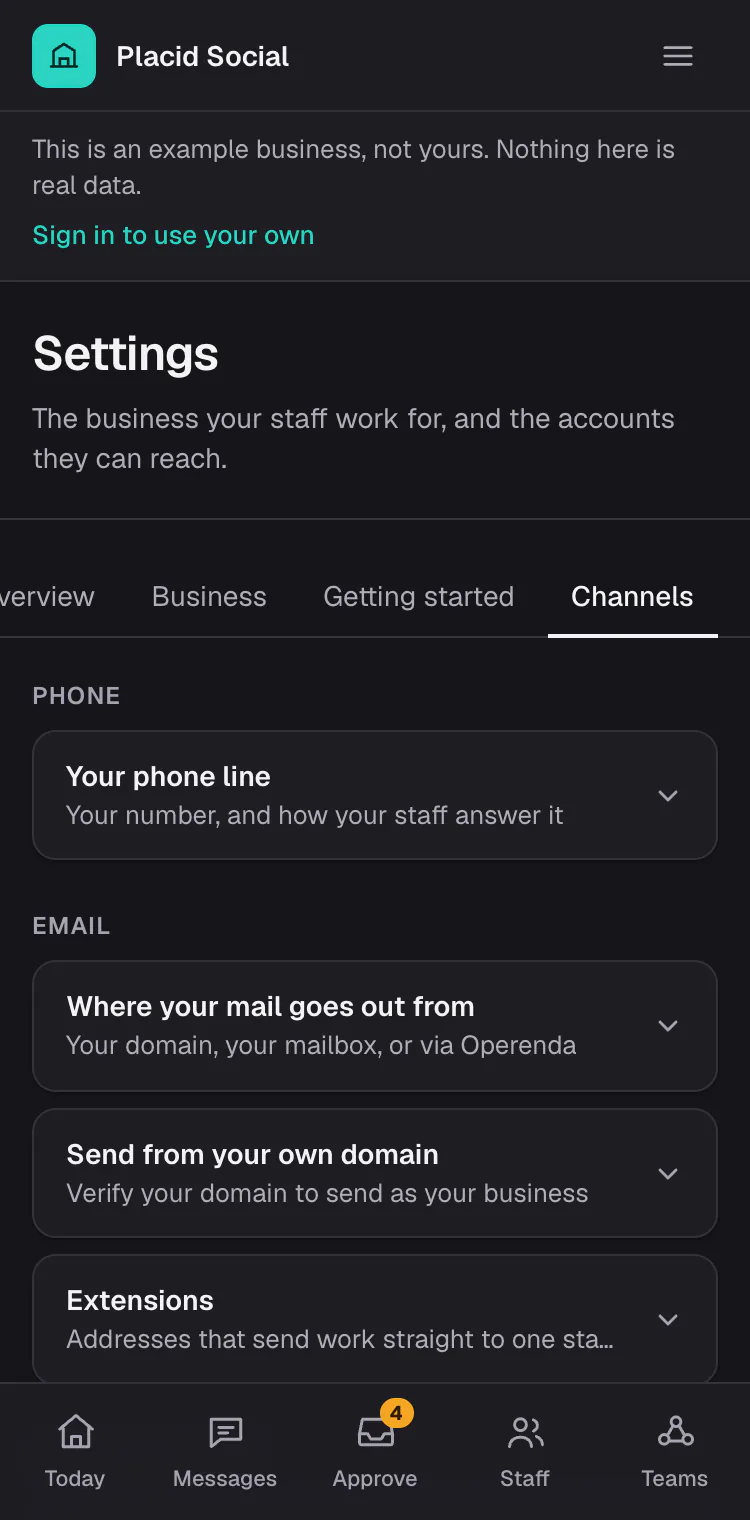
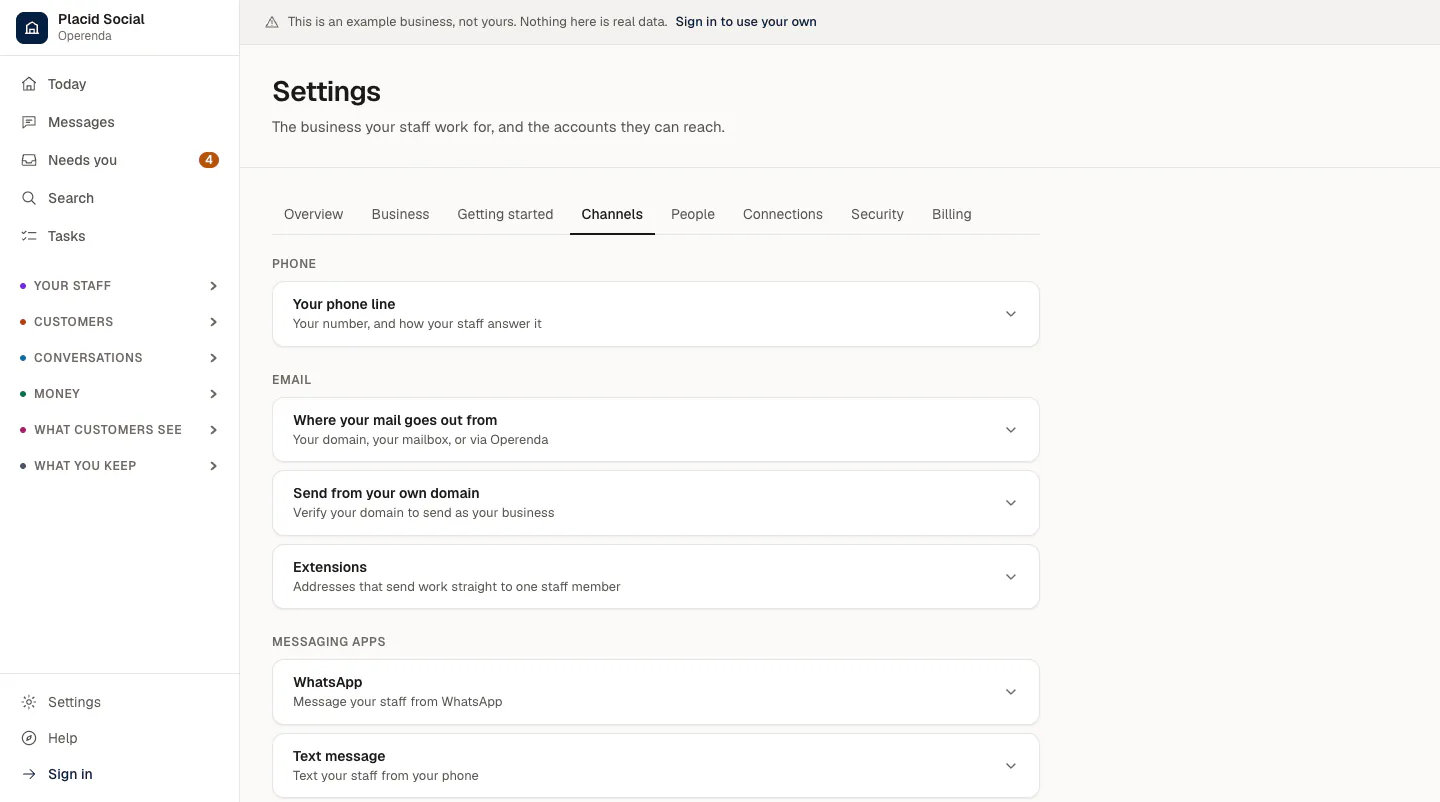
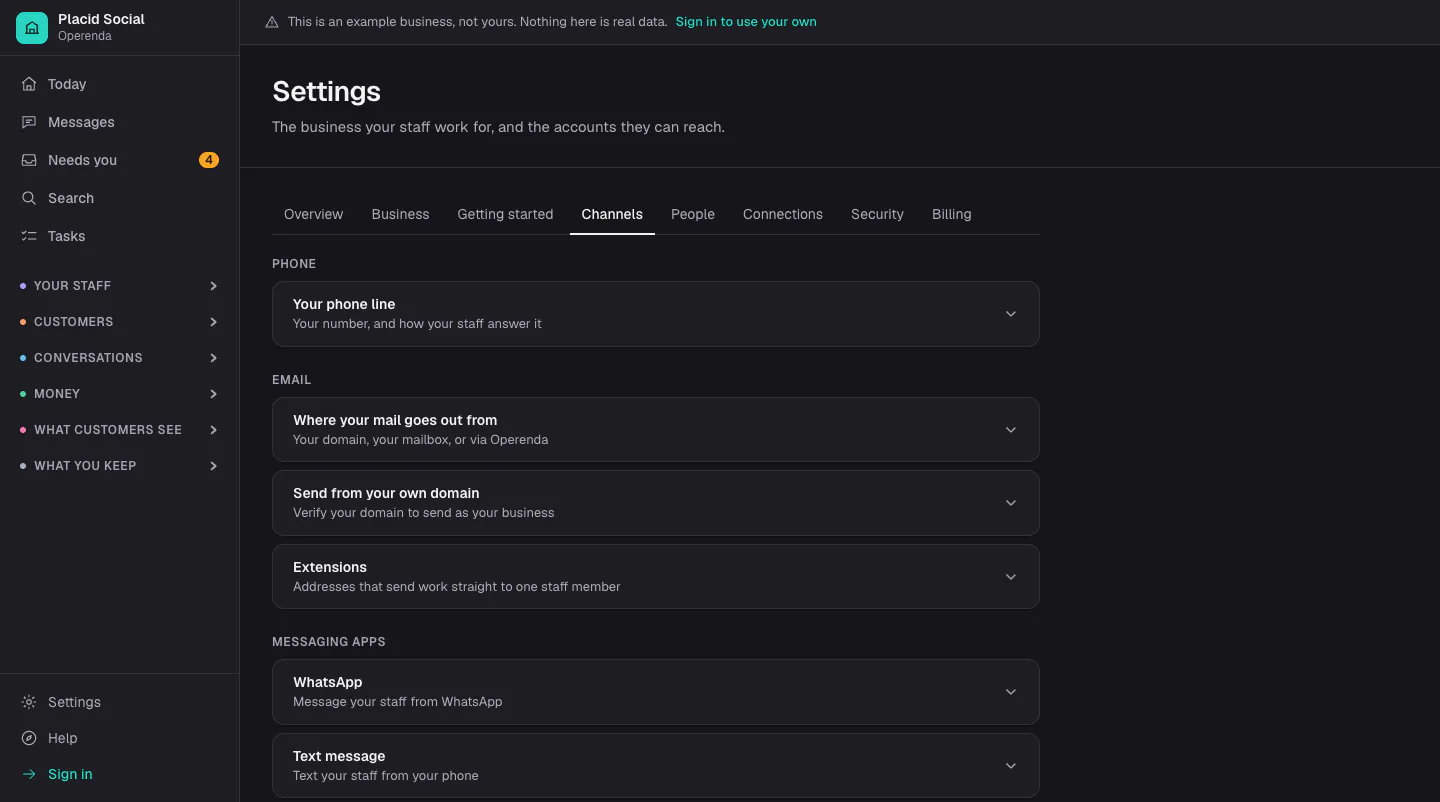
Step 1 of 5: Today starts from where the business is
The position
Most AI staff are built to replace you.
This one is built to extend you.
The ambition is not a smaller payroll. It is a bigger reach — the ideas you never get to, the follow-ups that slip, the plans that stay in a notebook because the day ran out. Your judgement is the scarce thing here, and the point is to put more of it into more places.
Which is why the human is not overhead. Every approval, every edit, every rejection with a reason is a labelled example, and the staff get measurably better for it. Your taste compounds instead of evaporating. That loop is the product, not a safety feature bolted onto one.
It runs at three in the morning and over a bank holiday, because software does. It will give you more attempts at the things you actually care about, which is the harder thing to buy.
It is also why autonomy is not a switch. It is granted per kind of work, one class at a time, and offered only once a specialist has the record to justify it.
The obvious question
Why not just use ChatGPT or Claude yourself?
Often you should — and this is not a claim to a cleverer model, because it is the same class of model you are already using. The difference is everything around it. A chat window is a brilliant tool that forgets you, waits for you, cannot reach anything, and has nobody to check it.
It forgets
On your own
Every conversation starts over. You paste in the context again — who the customer is, how you price, what you decided last time — or you accept a plausible answer built on nothing.
Here
Your decisions, your voice and your customers are the standing context. Nothing is pasted, and last quarter's reasoning is still there next quarter.
It waits to be asked
On your own
Nothing happens until you open the tab and type. The follow-up you forgot stays forgotten, because the tool has no idea it was owed.
Here
Specialists work on a schedule, overnight and at weekends, and come back with what they found. The work you would not have thought to ask for is the work you were missing.
It cannot reach anything
On your own
It writes you an email to copy and paste, and a plan to type up somewhere else. You are the integration, and it is the slowest part.
Here
Connected mailbox, calendar and records. It reads what is actually there and sends as your business, with your approval on anything that leaves.
Nobody checks it
On your own
A confident wrong answer looks exactly like a right one, and you are the only reviewer — usually of a subject you asked about because you did not know it.
Here
A fact checker and critics that argue with the work before you see it, and a second read on anything irreversible. Every claim traceable to where it came from.
When a chat window really is the better tool
For a one-off question, for thinking out loud, for anything you want to sit and argue with for an hour — open the chat you already pay for. This is for the work that has to happen whether or not you remember it, on the systems your business actually runs on. Keep both; they are not the same purchase.
The office
Twenty-eight specialists, hired one at a time
Each is written as a job description — what it owns, what good work looks like, and where its authority stops. Hire the three you need and leave the rest.
Leadership
5- Chief of StaffRuns your day and keeps everything moving
- Chief Financial OfficerTells you what the business can afford
- Research AnalystFinds out what is happening outside the business
- Business HistorianRemembers what this business has already done
- Business CoachA sounding board, and somebody who holds you to your goals
Growth
5- Marketing LeadBuilds and runs your marketing
- Ads ManagerRuns paid acquisition
- Presentations LeadBuilds the deck, and the argument inside it
- Product DesignerTurns an idea into something you can decide on
- Web DeveloperBuilds and maintains your website
Revenue
4- Sales RepWorks your pipeline
- Lead ResearcherFinds people worth approaching
- Support AgentAnswers your customers
- Customer SuccessKeeps the customers you already have
Operations
7- Inbox ManagerKeeps your email under control
- Administrative AssistantHandles the paperwork and the scheduling
- BookkeeperKeeps the record of money in and out
- Finance AnalystTells you whether the work makes money
- Forensic AccountantFinds out why the numbers do not match
- Operations ManagerKeeps the work organised
- Fact CheckerChecks every claim before it goes out
People
4- RecruiterFills your open roles
- People LeadKeeps the people you already have
- Negotiation CoachGets you ready for the conversation that decides the price
- Sales & Pitch CoachSharpens the pitch, and rehearses the hard questions
Governance
3- Contract ReaderReads agreements and tells you what is in them
- Compliance WatchTracks obligations and the dates they fall due
- Policy LibrarianKeeps internal policies findable and current
The phone
An AI receptionist that remembers the caller
A number of your own, answered by your staff. Every answering service on the market will take a message. This one knows who rang, what it was about last time, and has the follow-up written before you look.
It knows who is calling
A customer who rang last week is greeted by name and asked whether it is about the same thing. It never reads out anything private — a phone number proves nothing about who is holding it — but nobody has to explain themselves twice.
Nothing is promised on the line
It cannot commit you to a price or a date, and it says so out loud: taken down provisionally, you will confirm. When somebody asks when you can come out, it emails them every time you are genuinely free and lets them pick.
The call becomes the work
A note in the same memory the rest of your staff read, a task on your list, a reply drafted, and the caller added to your people. Not a recording for you to listen to later.
Recordings and robocalls
Warranty scams and automated pitches are ended without spending your minutes on them. And it can put a real caller through to your mobile when it matters, inside hours you set.
It rings out as well
Chase a quote, ask a supplier when the parts land, confirm a detail. It says it is an automated assistant in the first sentence, rings only people you already deal with, inside their working hours, and agrees to nothing. Before it speaks to anybody real you can have it ring you and play the other end.
From $19 a month for 45 minutes, on top of the plan. United States and Canada for now.
Reach it anywhere
One conversation, from wherever you are
You never choose a channel. There is a single thread with your staff, and each of these is another way into it, so what you said in the car is waiting in the app when you sit down.
- The web app, on your phone's home screen
- iMessageComing soon
- Text message
- Telegram
- Slack
- Forwarded email
- A phone call
Each is marked on the next page as working now or not yet proven.
The fence
Autonomy is per kind of work, not per specialist
"Is this agent autonomous?" is a question nobody can answer. "May the marketing lead publish without asking?" is one you can hold in your head. So that is the unit — and every action a specialist attempts goes through one gate, with no second route out.
Three things hold whatever you configure. Account and security changes never run on their own. Spending never passes a ceiling you set yourself. And a specialist can only ever be more restricted than the workspace, never less — so nothing a specialist reads, in an email or on a web page, can talk its way into more access than you granted.
Research & read
Always automaticSearch the web, read your inbox, look things up in your own records. Nothing changes and nobody outside the business hears from us.
Draft & prepare
Always automaticWrite emails, posts, documents and campaign plans, and leave them waiting for you. Nothing is sent or published.
Update internal records
Automatic unless you tighten itCreate and update tasks, notes, contacts and files inside your own workspace. Visible only to your team, and every change is logged.
Nothing above this line happens without youContact people
Asks you, until you unlock itSend email, SMS and messages to customers, leads and suppliers on your behalf. Once it is sent, it cannot be unsent.
Publish publicly
Asks you, until you unlock itPost to social accounts, update your website and publish content under your brand, where anyone can see it.
Spend money
Asks you — never past your capCommit real money — ad budgets, purchases, refunds. Always capped, and the cap is set by you.
Account & security changes
Always a personConnect or disconnect integrations, change who has access, delete records, export data, change billing.
Teams
Work alone fails in predictable ways
A campaign sales cannot convert. A discount past the margin. A launch date nobody costed. So several specialists sit on one piece of work, each with an explicit lens — the thing that seat is responsible for catching.
Sales team
Win work the business can actually deliver, at a price that makes money.
Marketing team
Say true things, to the right people, that turn into work the business wants.
Leadership team
Work out what the business should do next, and whether the last decision worked.
Launch team
Take an idea from a sentence to something real and live.
Retention team
Keep the customers and the staff the business already has.
Every team ends with the fact checker, running last on the finished draft — after the revision, because the revision is exactly where a plausible number gets added to satisfy a critic. It reports each claim as verified, unverified or contradicted, and it is never allowed to check a claim against the document that made it.
What happens to your corrections
A rejection with a reason becomes a rule. Then the rule gets marked.
Turning feedback into a standing instruction is the easy half. The half that makes a product learn rather than merely accumulate is what happens to that instruction afterwards.
Every run records its rules
Which standing instructions were in the prompt when the work was produced.
Your decision lands on them
Approved reinforces them. Rejected counts against them. An approval that merely expired scores nothing — a quiet week is not agreement.
Rules that stop working get flagged
Rather than going on shaping every run forever. A new rule that reverses an old one supersedes it.
The same evidence decides when a specialist is offered more rope. It is scored against your own decisions, and the unlock is offered with the record behind it. It is never flipped on your behalf — and if an already-automatic specialist starts getting corrected, the product recommends pulling it back.
What is inside
Everything that works today
Taken straight from the full list, so nothing here is a hope. The things that are built but not yet proven are on that list too, each with what is missing.
The office
- Twenty-eight specialists
- Ask your staff for something
- Think it through
- Teams
- Tasks
- Your voice and look
- Specialists on a timetable
- A thought, with nothing to fill in first
and 12 more
Control and oversight
- Golden cases
- The autonomy fence
- Approvals
- Audit trail
- Earned autonomy
- We check their terms first
- What came of the work
- A straight answer about encryption
and 5 more
Memory and learning
- The questions you have not answered
- One search across everything
- What the business knows
- Standing rules
- House voice
- Your artwork library
What they can reach
- Connecting an account
- Mail in, by forwarding
- An extension per member of staff
- A pipeline your staff actually work
- People worth approaching, found and checked
- Cold outreach that stops when they answer
- Your staff working through a connected account
- A computer of its own
and 14 more
Selling and billing
- Taking bookings from your own page
- Your website, hosted
- Telling us about the business in your own words
- A form people can actually fill in
- Whether anybody read your site
- Orders, invoices and what you are owed
- Paying for a plan
- More than one business
Where it stands
Some of this is working today. Some of it is not.
Nothing on this site is described as working unless it works. Where something is still being built, it says so on the spot rather than in a footnote.
69
working now
43
still being built
The line is a specific one. Your staff read, file, draft and reply to mail, read your calendars, and prepare posts, newsletters, quotes, decks and ad campaigns, always behind the approvals you set. What they do not yet do is publish straight to a social account or run an ad account: those leave as drafts and files you send on. An action that needs something that is not connected says so rather than pretending.
Pricing
A flat monthly fee, and no cut of your revenue
One plan, everything included, with an allowance of AI work measured in credits. When you sell something through Operenda, the money goes to your own account — we never take a percentage.
Starter
Everything included$29 a month
110 credits included · every specialist
A couple of specialists, a few times a week.
Start free
$0
10 credits, no card
Enough to watch a specialist do real work before you decide. Nothing is held back while you spend them.
Look around before you decide anything
The demo workspace is the whole product, filled with an example business. Every screen works. Nothing is connected, so nothing can be sent.